function App() {
  const data = window.SS_DATA;
  const [moodId, setMoodId] = useState(data.moods[0].id);
  const [city, setCity] = useState("Amsterdam");
  const [selectedEventId, setSelectedEventId] = useState(data.events[0].id);
  const [activeTerm, setActiveTerm] = useState(data.glossary[0].term);
  const [firstTimerOnly, setFirstTimerOnly] = useState(true);
  const [savedEventIds, setSavedEventIds] = useState([data.events[0].id]);
  const [checklistDone, setChecklistDone] = useState(["vibe", "first-timer"]);
  const [isSignedIn, setIsSignedIn] = useState(false);
  const [linkedAccounts, setLinkedAccounts] = useState(["google"]);
  const [inspectListing, setInspectListing] = useState(null);
  const [doorHelpActive, setDoorHelpActive] = useState(false);
  const progress = useScrollProgress();

  const selectedMood = data.moods.find((mood) => mood.id === moodId);
  const filteredEvents = useMemo(() => {
    return data.events.filter((event) => {
      const cityMatch = city === "All" || event.city === city;
      const firstTimerMatch = !firstTimerOnly || event.firstTimer;
      return event.mood === moodId && cityMatch && firstTimerMatch;
    });
  }, [moodId, city, firstTimerOnly]);

  const selectedEvent = data.events.find((event) => event.id === selectedEventId) || filteredEvents[0] || data.events[0];
  const activeGlossary = data.glossary.find((item) => item.term === activeTerm) || data.glossary[0];
  const savedEvents = data.events.filter((event) => savedEventIds.includes(event.id));
  const checklistProgress = Math.round((checklistDone.length / data.checklist.length) * 100);
  const toggleSaved = (id) => {
    setSavedEventIds((ids) => ids.includes(id) ? ids.filter((item) => item !== id) : [...ids, id]);
  };
  const toggleChecklist = (id) => {
    setChecklistDone((ids) => ids.includes(id) ? ids.filter((item) => item !== id) : [...ids, id]);
  };
  const toggleLinkedAccount = (id) => {
    setLinkedAccounts((ids) => ids.includes(id) ? ids.filter((item) => item !== id) : [...ids, id]);
  };

  const openSignInPopup = (mode) => {
    const width = 500;
    const height = 600;
    const left = (window.screen.width - width) / 2;
    const top = (window.screen.height - height) / 2;
    const popup = window.open("", "Sign In", `width=${width},height=${height},left=${left},top=${top},status=no,menubar=no,toolbar=no`);
    if (popup) {
      popup.document.open();
      popup.document.write(`
        <!DOCTYPE html>
        <html>
        <head>
          <title>${mode === "create" ? "Create Account" : "Sign In"} | Skirts & Sparkles</title>
          <meta name="viewport" content="width=device-width, initial-scale=1">
          <link href="https://fonts.googleapis.com/css2?family=Inter:wght@400;700;800&family=JetBrains+Mono:wght@700&display=swap" rel="stylesheet">
          <style>
            body {
              background: #100f12;
              color: #fffaf0;
              font-family: 'Inter', sans-serif;
              margin: 0;
              padding: 40px 24px;
              display: flex;
              flex-direction: column;
              align-items: center;
              justify-content: center;
              min-height: 100vh;
              box-sizing: border-box;
            }
            .container {
              width: 100%;
              max-width: 360px;
            }
            .logo {
              font-family: 'JetBrains Mono', monospace;
              font-size: 11px;
              letter-spacing: 0.1em;
              text-transform: uppercase;
              color: #cfff4f;
              margin-bottom: 24px;
            }
            h2 {
              font-size: 28px;
              margin: 0 0 8px;
              font-weight: 800;
            }
            p {
              color: rgba(255, 250, 240, 0.7);
              font-size: 14px;
              margin: 0 0 24px;
              line-height: 1.4;
            }
            form {
              display: grid;
              gap: 16px;
              width: 100%;
            }
            label {
              display: grid;
              gap: 6px;
              font-family: 'JetBrains Mono', monospace;
              font-size: 10px;
              font-weight: 700;
              text-transform: uppercase;
            }
            input {
              background: #19181c;
              border: 1px solid rgba(255, 250, 240, 0.14);
              border-radius: 8px;
              color: #fffaf0;
              padding: 12px 14px;
              font-size: 15px;
              font-family: inherit;
            }
            input:focus {
              outline: 2px solid #cfff4f;
              border-color: #cfff4f;
            }
            button {
              background: #cfff4f;
              color: #100f12;
              border: 0;
              border-radius: 999px;
              padding: 14px;
              font-weight: 800;
              font-size: 14px;
              cursor: pointer;
              margin-top: 12px;
            }
            button:hover {
              opacity: 0.9;
            }
            .google-btn {
              background: transparent;
              color: #fffaf0;
              border: 1px solid rgba(255, 250, 240, 0.2);
              margin-top: 8px;
            }
            .google-btn:hover {
              border-color: #fffaf0;
            }
          </style>
        </head>
        <body>
          <div class="container">
            <div class="logo">Skirts & Sparkles</div>
            <h2>${mode === "create" ? "Create Account" : "Sign In"}</h2>
            <p>${mode === "create" ? "Save nights, link accounts, and keep tickets close." : "Access saved nights, alerts, and linked accounts."}</p>
            <form id="authForm">
              <label>Email <input type="email" required placeholder="you@example.com" autofocus></label>
              <label>Password <input type="password" required placeholder="8+ characters"></label>
              <button type="submit">${mode === "create" ? "Create account" : "Sign in"}</button>
              <button type="button" class="google-btn" id="googleBtn">Continue with Google</button>
            </form>
          </div>
          <script>
            document.getElementById('authForm').addEventListener('submit', (e) => {
              e.preventDefault();
              if (window.opener) {
                window.opener.postMessage({ type: 'AUTH_SUCCESS' }, '*');
              }
              window.close();
            });
            document.getElementById('googleBtn').addEventListener('click', () => {
              if (window.opener) {
                window.opener.postMessage({ type: 'AUTH_SUCCESS' }, '*');
              }
              window.close();
            });
          </script>
        </body>
        </html>
      `);
      popup.document.close();
    }
  };

  useEffect(() => {
    if (!filteredEvents.some((event) => event.id === selectedEventId) && filteredEvents[0]) {
      setSelectedEventId(filteredEvents[0].id);
    }
  }, [filteredEvents, selectedEventId]);

  useEffect(() => {
    const jumpToHash = () => {
      const target = window.location.hash && document.querySelector(window.location.hash);
      if (target) target.scrollIntoView();
    };
    requestAnimationFrame(jumpToHash);
    window.addEventListener("hashchange", jumpToHash);
    return () => window.removeEventListener("hashchange", jumpToHash);
  }, []);

  const openCheckoutPopup = (event) => {
    const width = 500;
    const height = 650;
    const left = (window.screen.width - width) / 2;
    const top = (window.screen.height - height) / 2;
    const popup = window.open("", "Checkout", `width=${width},height=${height},left=${left},top=${top},status=no,menubar=no,toolbar=no`);
    if (popup) {
      popup.document.open();
      popup.document.write(`
        <!DOCTYPE html>
        <html>
        <head>
          <title>Checkout | ${event.title}</title>
          <meta name="viewport" content="width=device-width, initial-scale=1">
          <link href="https://fonts.googleapis.com/css2?family=Inter:wght@400;700;800&family=JetBrains+Mono:wght@700&display=swap" rel="stylesheet">
          <style>
            body {
              background: #100f12;
              color: #fffaf0;
              font-family: 'Inter', sans-serif;
              margin: 0;
              padding: 32px 24px;
              box-sizing: border-box;
              display: flex;
              flex-direction: column;
              min-height: 100vh;
            }
            .logo {
              font-family: 'JetBrains Mono', monospace;
              font-size: 11px;
              letter-spacing: 0.1em;
              text-transform: uppercase;
              color: #cfff4f;
              margin-bottom: 24px;
            }
            h2 {
              font-size: 24px;
              margin: 0 0 4px;
              font-weight: 800;
            }
            .event-meta {
              font-size: 14px;
              color: rgba(255, 250, 240, 0.7);
              margin-bottom: 24px;
            }
            .price-card {
              background: #19181c;
              border: 1px solid rgba(255, 250, 240, 0.14);
              border-radius: 8px;
              padding: 16px;
              margin-bottom: 24px;
              display: flex;
              justify-content: space-between;
              align-items: center;
            }
            .price-card strong {
              font-size: 20px;
              color: #cfff4f;
            }
            form {
              display: grid;
              gap: 16px;
            }
            label {
              display: grid;
              gap: 6px;
              font-family: 'JetBrains Mono', monospace;
              font-size: 10px;
              font-weight: 700;
              text-transform: uppercase;
            }
            input {
              background: #19181c;
              border: 1px solid rgba(255, 250, 240, 0.14);
              border-radius: 8px;
              color: #fffaf0;
              padding: 12px 14px;
              font-size: 15px;
              font-family: inherit;
            }
            input:focus {
              outline: 2px solid #cfff4f;
              border-color: #cfff4f;
            }
            .pay-btn {
              background: #cfff4f;
              color: #100f12;
              border: 0;
              border-radius: 999px;
              padding: 14px;
              font-weight: 800;
              font-size: 15px;
              cursor: pointer;
              margin-top: 12px;
            }
            .pay-btn:hover {
              opacity: 0.9;
            }
            .note {
              font-size: 12px;
              color: rgba(255, 250, 240, 0.5);
              text-align: center;
              margin-top: 16px;
              line-height: 1.4;
            }
          </style>
        </head>
        <body>
          <div class="logo">Skirts & Sparkles</div>
          <h2>Secure Checkout</h2>
          <div class="event-meta">${event.title} · ${event.venue}</div>
          
          <div class="price-card">
            <span>1x General Admission</span>
            <strong>EUR ${event.price}</strong>
          </div>
          
          <form id="payForm">
            <label>Name on Card <input type="text" required placeholder="John Doe" autofocus></label>
            <label>Card Number <input type="text" required placeholder="4000 1234 5678 9010"></label>
            <div style="display: grid; grid-template-columns: 1fr 1fr; gap: 12px;">
              <label>Expiry <input type="text" required placeholder="MM/YY"></label>
              <label>CVC <input type="text" required placeholder="123"></label>
            </div>
            <button type="submit" class="pay-btn">Pay EUR ${event.price}</button>
          </form>
          
          <div class="note">
            Protected by Fair Price Guarantee.<br>
            A fresh QR ticket code will be generated and re-issued 48 hours before doors.
          </div>
          
          <script>
            document.getElementById('payForm').addEventListener('submit', (e) => {
              e.preventDefault();
              if (window.opener) {
                window.opener.postMessage({ type: 'TICKET_PURCHASE_SUCCESS', eventId: '${event.id}' }, '*');
              }
              window.close();
            });
          </script>
        </body>
        </html>
      `);
      popup.document.close();
    }
  };

  useEffect(() => {
    const handleMessage = (event) => {
      if (event.data && event.data.type === 'AUTH_SUCCESS') {
        setIsSignedIn(true);
      }
      if (event.data && event.data.type === 'TICKET_PURCHASE_SUCCESS') {
        const boughtId = event.data.eventId;
        setSavedEventIds((ids) => ids.includes(boughtId) ? ids : [...ids, boughtId]);
        alert("Success! Your ticket is reserved. Find it in your My Tix hub.");
      }
    };
    window.addEventListener('message', handleMessage);
    return () => window.removeEventListener('message', handleMessage);
  }, []);

  return (
    <main id="top">
      <div className="scroll-progress" style={{ transform: `scaleX(${progress})` }} />
      <nav className="site-nav">
        <Brand />
        <div className="nav-links" aria-label="Primary navigation">
          <a href="#discover">Discover</a>
          <a href="#resale">Resale</a>
          <a href="#guide">Scene guide</a>
          <a href="#my-tix">My tix</a>
        </div>
        <button 
          className="nav-cta" 
          onClick={() => isSignedIn ? document.getElementById("account")?.scrollIntoView({ behavior: "smooth" }) : openSignInPopup("signin")}
        >
          {isSignedIn ? "Profile" : "Sign in"}
        </button>
      </nav>

      <section className="hero" aria-label="Skirts and Sparkles introduction">
        <div className="hero-media">
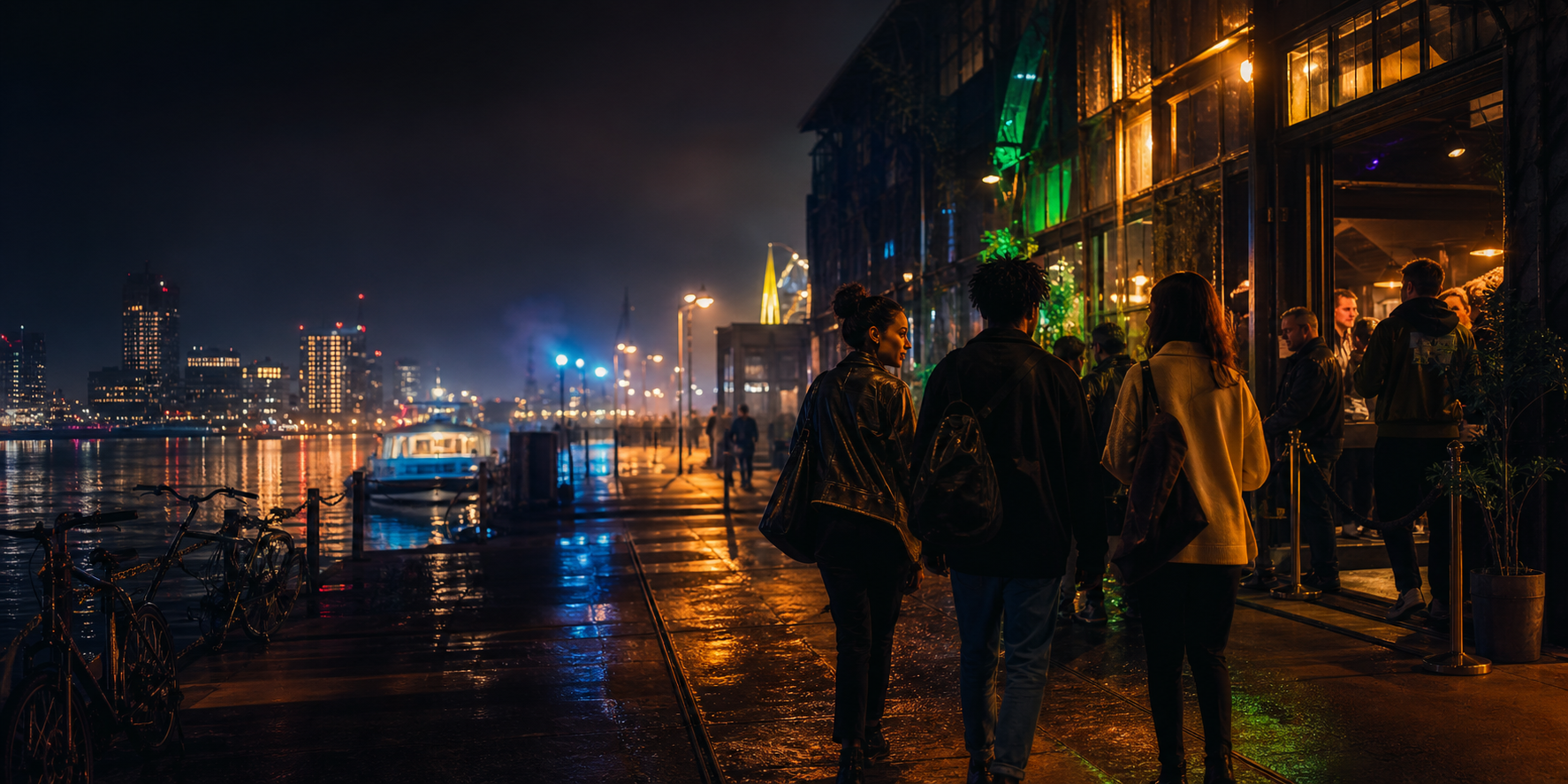
          <img src="assets/amsterdam-night-scene.png" alt="People arriving at an Amsterdam music venue at night" />
          <div className="hero-overlay" />
        </div>
        <div className="hero-content">
          <p className="eyebrow">Netherlands music nights</p>
          <h1>Dutch nightlife, translated.</h1>
          <p className="hero-copy">
            Find a music night that matches your vibe, complete with plain-English guides, night-transit warnings, and 100% secure ticket resale.
          </p>
          <div className="hero-actions">
            <a className="button primary" href="#discover"><Icon name="compass" /> Start exploring</a>
            <button 
              className="button secondary" 
              onClick={() => isSignedIn ? document.getElementById("account")?.scrollIntoView({ behavior: "smooth" }) : openSignInPopup("signin")}
            >
              <Icon name="guide" /> {isSignedIn ? "Profile" : "Sign in"}
            </button>
          </div>
        </div>
        <div className="hero-dock" aria-label="Live platform snapshot">
          <span>Amsterdam</span>
          <strong>47</strong>
          <span>events this week</span>
          <strong>18</strong>
          <span>fair resale listings live</span>
        </div>
      </section>

      <section className="ticker" aria-label="Scene signals">
        <div>
          <span>first-timer filters</span>
          <span>my tix dashboard</span>
          <span>pre-night checklist</span>
          <span>fair resale cap</span>
          <span>venue practicals</span>
          <span>lingo translator</span>
          <span>night bus nudges</span>
          <span>fresh QR tickets</span>
          <span>first-timer filters</span>
          <span>fair resale cap</span>
          <span>venue practicals</span>
        </div>
      </section>

      <section className="section discover" id="discover">
        <SectionHeader
          eyebrow="Discover"
          title="What are you in the mood for?"
        >
          Pick a vibe. We will keep the travel, timing, and ticket details clear.
        </SectionHeader>

        <div className="welcome-strip">
          <div>
            <span>Browse mode</span>
            <strong>{firstTimerOnly ? "First-timer mode is active" : "Showing all events"}</strong>
            <p>
              {firstTimerOnly
                ? "Showing low-pressure venues, earlier starts, and simple transport options."
                : "Showing the full list, including later starts, louder crowds, and clubbing institutions."}
            </p>
          </div>
          <div className="welcome-toggle-group">
            <button 
              className={firstTimerOnly ? "active" : ""} 
              onClick={() => setFirstTimerOnly(true)}
            >
              First-timer friendly
            </button>
            <button 
              className={!firstTimerOnly ? "active" : ""} 
              onClick={() => setFirstTimerOnly(false)}
            >
              Show all events
            </button>
          </div>
        </div>

        <div className="mood-grid">
          {data.moods.map((mood) => (
            <button
              key={mood.id}
              className={"mood-card" + (mood.id === moodId ? " active" : "")}
              style={{ "--mood": mood.color }}
              onClick={() => setMoodId(mood.id)}
            >
              <span>{mood.label}</span>
              <strong>{mood.title}</strong>
              <small>{mood.genres.join(" · ")}</small>
            </button>
          ))}
        </div>

        <div className="explorer">
          <div className="explorer-controls">
            {["All", ...data.cities].map((item) => (
              <PillButton key={item} active={city === item} onClick={() => setCity(item)}>
                {item}
              </PillButton>
            ))}
          </div>

          <div className="event-browser">
            <div className="event-list" aria-label="Filtered events">
              {filteredEvents.length ? filteredEvents.map((event) => (
                <EventCard
                  key={event.id}
                  event={event}
                  selected={event.id === selectedEvent.id}
                  onSelect={setSelectedEventId}
                />
              )) : (
                <div className="empty-state">
                  <strong>We couldn't find a perfect match</strong>
                  <span>Dutch nightlife is always shifting, and sometimes specific combinations are taking a breather. Try widening your search, or reset your filters to see all available music nights.</span>
                  <button className="empty-state-btn" onClick={() => { setCity("All"); setFirstTimerOnly(false); }}>
                    Reset filters
                  </button>
                </div>
              )}
            </div>

            <aside className="event-detail">
              <div className="detail-topline">
                <span>{selectedEvent.date} · {selectedEvent.time}</span>
                <span>{selectedEvent.firstTimer ? "first-timer OK" : "scene-ready"}</span>
              </div>
              <h3>{selectedEvent.title}</h3>
              <p>{selectedEvent.guide}</p>
              <div className="tag-row">
                {selectedEvent.tags.map((tag) => <span key={tag}>{tag}</span>)}
              </div>
              <div className="practical-list">
                {selectedEvent.practicals.map((item) => (
                  <div key={item}>
                    <Icon name="check" />
                    <span>{item}</span>
                  </div>
                ))}
              </div>
              <div className="ticket-bar">
                <div>
                  <span>{selectedEvent.soldOut ? "Sold out" : "Primary tickets"}</span>
                  <strong>{selectedEvent.soldOut ? `${selectedEvent.resale} resale live` : `from EUR ${selectedEvent.price}`}</strong>
                </div>
                <div className="ticket-actions">
                  <button onClick={() => toggleSaved(selectedEvent.id)}>
                    {savedEventIds.includes(selectedEvent.id) ? "Saved" : "Save night"}
                  </button>
                  <button onClick={() => {
                    if (selectedEvent.soldOut) {
                      document.getElementById("resale")?.scrollIntoView({ behavior: "smooth" });
                    } else {
                      openCheckoutPopup(selectedEvent);
                    }
                  }}>
                    {selectedEvent.soldOut ? "Watch resale" : "View tickets"}
                  </button>
                </div>
              </div>
            </aside>
          </div>
        </div>
      </section>

      <section className="section checklist" id="checklist">
        <SectionHeader eyebrow="Checklist" title="Ready for tonight?">
          Tick off the basics before you leave.
        </SectionHeader>
        <div className="checklist-layout">
          <div className={`checklist-score${checklistProgress === 100 ? " complete" : ""}`}>
            <span>{checklistProgress === 100 ? "Fully ready" : `${checklistProgress}% ready`}</span>
            <div className="score-ring" style={{ "--ready": `${checklistProgress}%` }}>
              <strong>{checklistProgress === 100 ? "✓" : `${checklistDone.length}/${data.checklist.length}`}</strong>
            </div>
            <p>
              {checklistProgress === 100
                ? `🎉 You are fully scene-ready! Earplugs are packed, transport is planned, and your ticket is safe. Enjoy ${selectedEvent.title}!`
                : `${selectedEvent.title} is looking doable. Tick off the practicals and your night gets much easier.`}
            </p>
          </div>
          <div className="checklist-items">
            {data.checklist.map((item) => (
              <ChecklistItem
                key={item.id}
                item={item}
                checked={checklistDone.includes(item.id)}
                onToggle={toggleChecklist}
              />
            ))}
          </div>
        </div>
      </section>

      <section className="section resale" id="resale">
        <SectionHeader eyebrow="Resale" title="Buy resale with a calmer checkout.">
          Fair prices, verified sellers, and a fresh QR before the event.
        </SectionHeader>
        <div className="trust-grid">
          {data.trust.map((item) => (
            <article key={item.label} className="trust-panel">
              <strong>{item.stat}</strong>
              <span>{item.label}</span>
              <p>{item.detail}</p>
            </article>
          ))}
        </div>
        <div className="resale-console">
          <div className="console-header">
            <span>Live resale board</span>
            <span>Warehouse West · Sat 13 Jun</span>
          </div>
          {[64, 58, 61].map((price, index) => (
            <div className="listing-row" key={price}>
              <span>Seller {index + 1}</span>
              <strong>EUR {price}</strong>
              <span>{price <= 58 ? "face value" : "inside fair cap"}</span>
              <button onClick={() => setInspectListing({ price, seller: `Seller ${index + 1}`, status: price <= 58 ? "face value" : "inside fair cap" })}>
                Inspect
              </button>
            </div>
          ))}
        </div>
      </section>

      <section className="section guide" id="guide">
        <SectionHeader eyebrow="Jargon Decoder" title="Dutch nightlife, demystified.">
          Tap any club term to decode the scene language instantly.
        </SectionHeader>
        <div className="guide-layout">
          <div className="glossary-list">
            {data.glossary.map((item) => (
              <GlossaryTerm
                key={item.term}
                item={item}
                active={item.term === activeTerm}
                onClick={() => setActiveTerm(item.term)}
              />
            ))}
          </div>
          <div className="glossary-answer">
            <span>Quick meaning</span>
            <h3>{activeGlossary.term}</h3>
            <p>{activeGlossary.plain}</p>
          </div>
        </div>
      </section>

      <section className="section my-tix" id="my-tix">
        <SectionHeader eyebrow="My tix" title="Your saved nights.">
          Tickets, alerts, routes, and door help in one place.
        </SectionHeader>
        <div className="mytix-layout">
          <article className="ticket-wallet">
            <div className="wallet-topline">
              <span>{data.myTix.ticket.status}</span>
              <span>{selectedEvent.firstTimer ? "first-timer OK" : "scene-ready"}</span>
            </div>
            <div className="ticket-main">
              <h3>{selectedEvent.title}</h3>
              <p>{selectedEvent.venue} · {selectedEvent.date} · {selectedEvent.time}</p>
              <div className="wallet-grid">
                <div>
                  <span>QR</span>
                  <strong>{data.myTix.ticket.qr}</strong>
                </div>
                <div>
                  <span>Support</span>
                  <strong>{data.myTix.ticket.support}</strong>
                </div>
                <div>
                  <span>Reminder</span>
                  <strong>{data.myTix.ticket.reminder}</strong>
                </div>
              </div>
            </div>
            <div className="ticket-stub-divider" />
            <div className="ticket-barcode" aria-hidden="true">
              <span className="barcode-line" style={{ width: "3px" }} />
              <span className="barcode-line" style={{ width: "1px" }} />
              <span className="barcode-line" style={{ width: "4px" }} />
              <span className="barcode-line" style={{ width: "2px" }} />
              <span className="barcode-line" style={{ width: "1px" }} />
              <span className="barcode-line" style={{ width: "3px" }} />
              <span className="barcode-line" style={{ width: "2px" }} />
              <span className="barcode-line" style={{ width: "4px" }} />
              <span className="barcode-line" style={{ width: "1px" }} />
              <span className="barcode-line" style={{ width: "3px" }} />
              <span className="barcode-line" style={{ width: "2px" }} />
              <span className="barcode-line" style={{ width: "1px" }} />
              <span className="barcode-line" style={{ width: "4px" }} />
              <span className="barcode-line" style={{ width: "2px" }} />
              <span className="barcode-line" style={{ width: "1px" }} />
            </div>
          </article>
          <aside className="saved-nights">
            <div className="saved-header">
              <strong>{savedEventIds.length} saved {savedEventIds.length === 1 ? "night" : "nights"}</strong>
              <span>{data.myTix.alerts} resale alerts</span>
            </div>
            {(savedEvents.length ? savedEvents : [selectedEvent]).map((event) => (
              <button key={event.id} onClick={() => setSelectedEventId(event.id)}>
                <span>{event.date}</span>
                <strong>{event.title}</strong>
                <em>{event.firstTimer ? "first-timer OK" : "scene-ready"}</em>
              </button>
            ))}
          </aside>
        </div>
      </section>

      <section className="section account" id="account">
        <SectionHeader eyebrow="Profile" title={isSignedIn ? "Welcome back." : "Save your night."}>
          {isSignedIn ? "Your connected accounts are ready." : "Sign in when you are ready. There's no pressure and we won't spam you - promise!"}
        </SectionHeader>
        <div className="account-layout">
          <div className="login-panel">
            <div>
              <span className="panel-label">Status</span>
              <h3>{isSignedIn ? "Signed in" : "Not signed in yet"}</h3>
              <p>{isSignedIn ? "Saved nights, alerts, and linked accounts are active." : "Sign in to save nights and connect accounts."}</p>
            </div>
            <div className="login-actions">
              <button type="button" onClick={() => openSignInPopup("signin")}>
                {isSignedIn ? "Manage sign in" : "Sign in"}
              </button>
              {!isSignedIn && (
                <button type="button" onClick={() => openSignInPopup("create")}>
                  Create account
                </button>
              )}
            </div>
          </div>
          <aside className="link-panel">
            <div className="saved-header">
              <strong>Linked accounts</strong>
              <span>{linkedAccounts.length}/{data.accounts.length} connected</span>
            </div>
            {data.accounts.map((account) => {
              const linked = linkedAccounts.includes(account.id);
              return (
                <button key={account.id} className={linked ? "linked" : ""} onClick={() => toggleLinkedAccount(account.id)}>
                  <span>
                    <strong>{account.name}</strong>
                    <em>{account.detail}</em>
                  </span>
                  <b>{linked ? "Connected" : "Connect"}</b>
                </button>
              );
            })}
          </aside>
        </div>
      </section>

      <section className="section mobile" id="mobile">
        <div className="mobile-copy">
          <SectionHeader eyebrow="At the venue" title="Everything you need at the door.">
            QR, route, reminders, and support stay close.
          </SectionHeader>
          <div className="app-principles">
            <span><Icon name="phone" /> Concierge before the event</span>
            <span><Icon name="ticket" /> Ticket wallet at the venue</span>
            <span><Icon name="guide" /> Help mode under pressure</span>
          </div>
        </div>
        <PhonePreview 
          event={selectedEvent} 
          doorHelpActive={doorHelpActive} 
          onToggleDoorHelp={() => setDoorHelpActive(!doorHelpActive)} 
        />
      </section>

      <footer className="footer">
        <Brand />
        <p>Find the night. Keep the ticket. Get home easy.</p>
        <a href="#top">Back to top</a>
      </footer>

      {inspectListing && (
        <div className="modal-backdrop" role="presentation" onClick={() => setInspectListing(null)}>
          <section className="inspect-modal" role="dialog" aria-modal="true" aria-labelledby="inspect-title" onClick={(event) => event.stopPropagation()}>
            <button className="modal-close" aria-label="Close ticket details" onClick={() => setInspectListing(null)}>×</button>
            <p className="eyebrow">Resale ticket</p>
            <h2 id="inspect-title">{inspectListing.seller}</h2>
            <div className="inspect-grid">
              <div>
                <span>Price</span>
                <strong>EUR {inspectListing.price}</strong>
              </div>
              <div>
                <span>Status</span>
                <strong>{inspectListing.status}</strong>
              </div>
              <div>
                <span>Protection</span>
                <strong>Fresh QR before doors</strong>
              </div>
            </div>
            <button className="modal-primary" onClick={() => setInspectListing(null)}>Looks good</button>
          </section>
        </div>
      )}
    </main>
  );
}

ReactDOM.createRoot(document.getElementById("root")).render(<App />);
